Transfer everything from old computer to new computer with Windows 11
Transfer programs and files to new computer
Transfer files from one computer to another
Transfer Microsoft Office to new computer
Restore programs and files from a broken or dead computer
Transfer directly from an old hard drive
Transfer to new computer using a USB hard drive
Corporate Windows 11 migration
User Profile Migration to new PC / new domain
How To Migrate Local Profiles to Azure AD
Migration to Server 2019 / 2016
Transfer everything from old computer to new computer with Windows 11
Transfer programs and files to new computer
Transfer files from one computer to another
Transfer Microsoft Office to new computer
Restore programs and files from a broken or dead computer
Transfer directly from an old hard drive
Transfer to new computer using a USB hard drive
Corporate Windows 11 migration
User Profile Migration to new PC / new domain
How To Migrate Local Profiles to Azure AD
Migration to Server 2019 / 2016
Transfer programs and files to new computer
Transfer files from one computer to another
Transfer Microsoft Office to new computer
Restore programs and files from a broken or dead computer
Transfer directly from an old hard drive
Transfer to new computer using a USB hard drive
Move To New PC - Compare Options
Migration Kit Pro - Advanced Transfer
Transfer programs and files to new computer
Transfer files from one computer to another
Transfer Microsoft Office to new computer
Restore programs and files from a broken or dead computer
Transfer directly from an old hard drive
Transfer to new computer using a USB hard drive
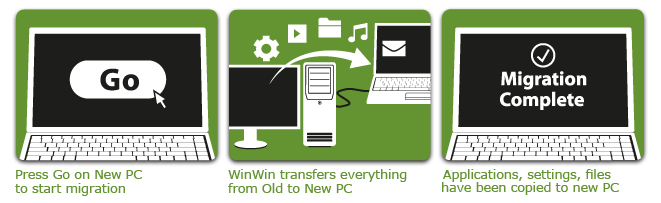
Zinstall WinWin captures the entire old Windows environment, and then natively implants it into the new computer – so that you can work with it just like you did on your old one.
All your old applications are kept fully and natively integrated the new Windows. They are configured just as before, and all documents, files and data are transferred as well.
Zinstall WinWin works with Windows XP, Vista, Windows 7, Windows 8/8.1 and Windows 10 – both on the old and the new computers. All editions are supported – from Home to Ultimate. It also supports transferring between 32 bit and 64 bit systems. For example, you can transfer your PC contents from Windows XP to Windows 7, or copy your programs and files from Windows 7 to Windows 10.
Note: WinWin works for Windows 10, 8/8.1, Windows 7, XP and Vista.
The video shows just one possible example.

Still hesitate? Need help? Our system engineers will accompany you step-by-step and even migrate your PC remotely over the Internet. Contact our Premium Support to schedule your Premium Migration session. Our support team is available 24×7 (by appointment).
